


KICK: Live Streaming
4.67.30K Reviews
App Specs
- Version
- Varies with Device
- Updated On
- License
- Free
- Downloads
- 50,000,000+
- Developer
- KICK - Live Streaming
- Categories
- Entertainment
- Platform
- Android, iOS
Screenshots
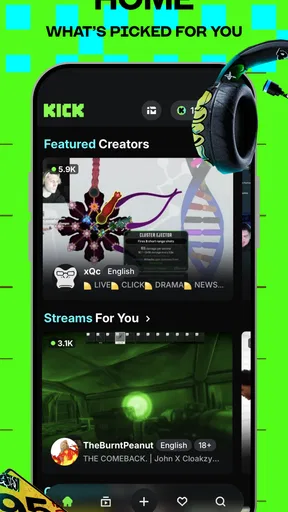
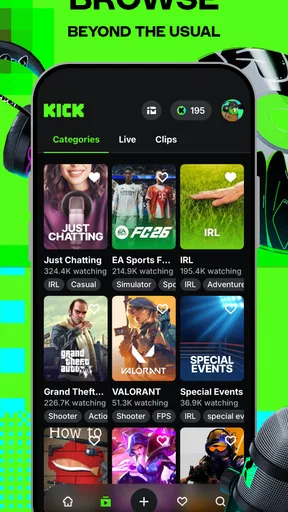
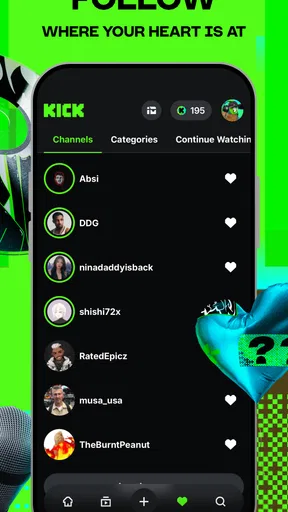
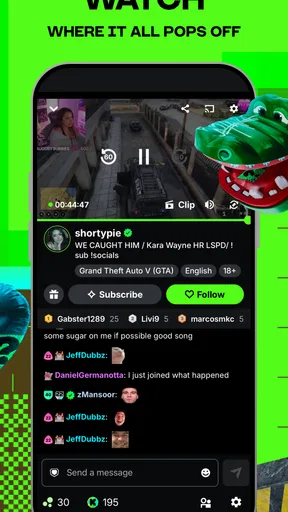
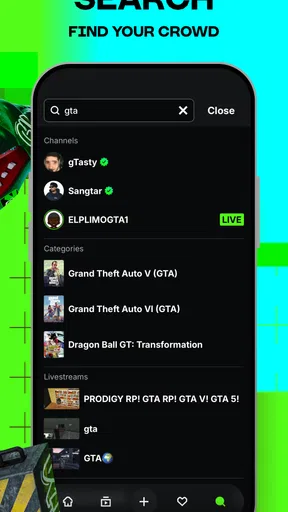

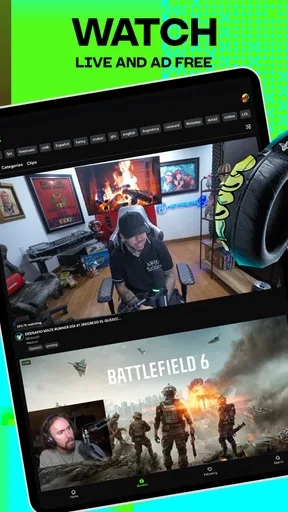
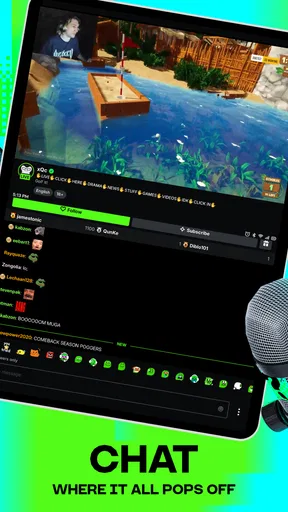
 Analysis by AppCompare
I use live-streaming apps differently depending on the moment: sometimes I want a quick look at what people are doing right now; other times I want to settle into a chat and follow one creator for a while. KICK: Live Streaming is built around that immediate, social feeling. It lets me browse live broadcasts, watch in real time and join the conversation, so it feels less like choosing a video from a catalogue and more like dropping into a room that is already in progress.
What speed means for a live app
The appeal is also its main trade-off: a live feed is happening now, not waiting for me to press play on a finished video. That makes KICK a natural fit when I have a spare few minutes and want something current. It is less suited to a viewer who prefers carefully edited clips, a predictable start-to-finish story or content that can be paused and resumed without losing the thread.
KICK is an entertainment app from KICK - Live Streaming, and it is free to install. The audience is substantial, with over ten million installs and an average rating of 4.6 from around 220,000 ratings. That scale makes it easier to see why browsing live content can feel active, though popularity alone does not guarantee that every stream will match my interests. I treat the first few minutes of browsing as a way to test the fit rather than assuming every recommendation will land.
Using it when a stream gets busy
The most engaging moments are often the busiest ones: a streamer is talking, viewers are reacting, and the chat moves alongside the broadcast. I like that the interaction can make watching feel shared, but it also means the experience asks for more attention than a quiet video. If I am trying to follow a detailed explanation, a fast-moving chat can compete with the stream itself. I get more out of it by choosing whether I want to watch closely or participate, rather than trying to do both constantly.
A realistic use is opening the app during a short break, finding a live conversation that suits my mood, and staying only while it holds my interest. If the chat becomes difficult to follow, I can stop typing and simply watch; if the room is lively in a way I enjoy, I can join in. That small choice helps keep the app from turning a quick pause into an obligation to keep up with every message.
Reliability, attention and battery
Live video depends on a steady connection and can be less forgiving than a prerecorded clip when a network becomes inconsistent. The published experience describes streams as relatively smooth even on weaker Wi-Fi, but I would still expect connection quality to affect how comfortable a session feels. If a broadcast stutters, I would first check whether my connection has changed before judging the app as a whole. For watching on the move, a stable connection matters more than the promise of uninterrupted access.
Long sessions also deserve a little planning. Video and live interaction can keep me in the app longer than I intended, and the original experience specifically calls out keeping the phone charged. I would start a longer watch with enough battery and a comfortable connection, rather than assuming a quick browse will stay quick. For a short commute or a few minutes between tasks, the format is convenient; for a lengthy session away from power, it is worth considering whether I actually want to spend that time watching live video.
Worth Reading Before You Choose

EA SPORTS FC Mobile 26 Is a Bigger Football Game, but It Takes Time

Flipboard Shows What News Apps Must Do Beyond the Feed

Switching to Android Auto Means Rethinking Your Driving Routine

Google Calendar Makes a Crowded Week Easier to Manage

Ludo King Makes the Most of the Minutes Between Plans

Baby Panda World Brings Quick Play to Modern Phones, but Its Game Library Feels Busy
Getting Started with KICK
First things first, downloading KICK: Live Streaming is a breeze. It's available on both Android and iOS, so no matter your device preference, you're covered. Once installed, the setup is straightforward. You just need to create an account or link your existing social media accounts, and you're good to go.
The interface is sleek and user-friendly, which is always a plus in my book. Navigating through different sections is a piece of cake, and I found everything I needed without having to dig too deep. Whether you're a tech whiz or a newbie, you'll feel right at home.
The Streaming Experience
Now, onto the meat of the app—the streaming itself. What I love about KICK is how interactive it is. You can not only stream your own content but also jump into other people's live feeds. The community vibe is strong here, with viewers and streamers engaging in real-time chats.
The video quality is impressive. Even on a not-so-great Wi-Fi connection, I found the streams to be relatively smooth with minimal lag. Just make sure your phone is charged because, trust me, you won't want to put this app down once you start exploring.
Features That Stand Out
One of the features that caught my eye is the ability to send virtual gifts. It's a fun way to show appreciation to your favorite streamers, and it adds a unique touch to the interaction. Plus, streamers can earn real money through these gifts, which is a fantastic incentive for content creators.
I also appreciated the notification system. You can customize alerts for when your favorite streamers go live, so you never miss a moment. It's like having your own personal streaming schedule without the hassle of manual tracking.
Community and Interaction
The community aspect of KICK is what really sets it apart. The app encourages users to engage with each other, creating a lively and dynamic environment. Whether you're into gaming, music, or just chatting, there's a niche for everyone.
I found myself getting lost in conversations and making connections with people from all over the world. It's amazing how an app can bring together such a diverse group of individuals under one digital roof.
Choosing KICK over a video library
Compared with familiar video platforms built around on-demand clips, KICK’s defining difference is that the content is live and the audience can respond while it unfolds. That makes it more appealing when I want a sense of presence or conversation, but less convenient when I need a specific tutorial, a polished highlight or something I can reliably finish later. A replay or edited upload is often the better choice for information I need to revisit; a live room is better when the social energy is part of the point.
It also differs from a passive television-style stream. Chat and virtual gifts give viewers ways to participate, though participation is optional: I can watch without spending money or writing messages. The app is free to download, while in-app purchases range from about $1.59 to $299.99 per item. I would treat gifts as optional support, not as a requirement for enjoying a broadcast, and check the purchase amount carefully before confirming anything.
Who will get the most from it
I would recommend KICK to someone who enjoys discovering creators in the moment, likes the feeling of a live audience and is comfortable with open-ended viewing. It can also suit a creator who wants to broadcast and interact rather than only post finished videos. The useful distinction is that going live is a social activity: the appeal comes partly from responding to people as they arrive, so it may not suit someone who wants to record privately and edit every detail before sharing.
On an ordinary evening, for example, I might open the app while dinner is cooking, browse until I find a conversation that feels welcoming, and listen while keeping an eye on the chat. If I am short on time, I can leave when the food is ready without feeling that I have abandoned a carefully structured episode. That flexibility is a strength, but the same open-ended design can make it easy to lose track of time. Setting a natural stopping point before I start is a simple way to keep a casual visit casual.
I would steer away from it if I mainly want quiet, highly curated viewing, minimal interaction or content that works well offline. It is also not an ideal background choice when I need to concentrate on another task: a live conversation can change direction, and chat may tempt me to keep checking the screen. For those needs, a saved video, podcast or traditional on-demand service is usually the more practical companion.
Small choices that improve a session
One useful habit is to decide what I want from a stream before opening it: conversation, a particular kind of entertainment or simply a brief distraction. That makes browsing more purposeful and helps me leave when the experience is not a match. Another is to use notifications selectively. Alerts for creators I genuinely follow can make it easier to catch a live session, while too many alerts can turn a relaxed app into another source of interruptions.
When I find a creator I enjoy, I can use the notification option to return for future live sessions instead of repeatedly searching from scratch. I would keep that list limited to people I actually want to watch, because an alert is only helpful if it points to something I am glad to see. And in a busy chat, I would read for a moment before joining in; that gives me a feel for the room’s topic and pace, and makes it easier to decide whether I want to contribute or just watch.
For creators, gifts add a way for viewers to show appreciation, but I would not treat them as a predictable source of income. They depend on viewers choosing to send them, so the sensible reason to stream is enjoying the broadcast and interaction itself. For viewers, the same feature is best approached as an optional gesture with a clear spending limit. That keeps the social side enjoyable without turning every stream into a prompt to pay.
Age, cost and everyday expectations
The app is rated Teen, which is a useful starting point for families considering it, but live communities can include varied conversations and viewer interactions. I would not assume an age label means every room will suit every teenager; parents and younger users should make sensible choices about which streams they spend time in and how they participate. The live format makes that judgement more personal than choosing a single, fixed video in advance.
There is no charge to install it, so trying the basic viewing experience does not require an upfront purchase. The main spending consideration is optional in-app purchasing, especially virtual gifts. If I were setting up the app for a younger user or someone who tends to make impulse purchases, I would talk through those costs before they start using the gifting feature. That is a practical safeguard, not a reason to assume payment is needed to watch.
My Final Thoughts
Overall, KICK: Live Streaming is a captivating app that offers a little something for everyone. Whether you're looking to share your talents, discover new content, or simply pass the time, it's worth checking out. The ease of use, combined with the interactive features, makes it a standout in the streaming world.
If you're ready to dive into a vibrant community and explore endless live content, give KICK a shot. It's an experience you won't forget, and who knows? You might just find your new favorite pastime.
My performance verdict is measured rather than absolute: the experience can feel smooth when the connection is holding up, but live video naturally makes network quality, battery and attention part of the equation. If a feed falters, I would pause and check the connection before restarting the app; if it remains uncomfortable, switching to a different stream or returning later is more sensible than forcing a long session. For a phone with limited battery, a weak or costly connection, or a viewer who wants fully predictable playback, a lighter on-demand option is likely a better fit.
For me, KICK works best as a place to drop into live company, not as a replacement for every kind of video app. Its immediacy and chat are the reasons to try it, while the unplanned pace, connection demands and optional spending are the points to keep in mind. If those trade-offs suit your habits, the free entry makes it easy to explore; if you prefer complete control over what plays and when, another format will probably serve you better.
Pros
- User-friendly interface for easy navigation.
- High-quality video streaming capabilities.
- Engaging community with interactive features.
- Supports multiple languages for global access.
- Frequent updates with new features.
Cons
- Occasional buffering during peak times.
- Limited monetization options for streamers.
- Some features behind a paywall.
- In-app ads can be intrusive at times.
- Requires stable internet for optimal use.
FAQs for KICK: Live Streaming
What is KICK: Live Streaming, and how does it work?
KICK: Live Streaming is a platform that allows users to broadcast and watch live content across various genres, including gaming, music, and lifestyle. Users can create an account, start streaming their own content, or explore streams by other broadcasters. The app emphasizes interaction, offering chat features and community engagement tools.
Is KICK: Live Streaming free to use?
Yes, KICK: Live Streaming is free to download and use. However, there are optional in-app purchases available, such as premium subscriptions or virtual gifts that can be sent to streamers. These purchases can enhance your viewing experience or support your favorite content creators.
What are the system requirements for KICK: Live Streaming?
For Android users, KICK: Live Streaming requires Android 5.0 or higher. For iOS users, the app requires iOS 11.0 or later. A stable internet connection is recommended to ensure smooth streaming and interaction. It's advisable to use a device with a good processor and ample RAM for the best experience.
How does KICK ensure user safety and content moderation?
KICK: Live Streaming has a robust system in place for user safety and content moderation. This includes community guidelines that prohibit harmful content, a reporting system for inappropriate behavior, and active moderation teams. Users are encouraged to report any violations to maintain a safe environment for all.
Can I monetize my content on KICK: Live Streaming?
Yes, content creators on KICK can monetize their streams through various methods, such as receiving tips from viewers, participating in the platform's partner program, or earning from advertisements. The app provides tools and resources to help streamers grow their audience and increase their earning potential.


